
Your Gigs. Your Tasks. Your Time. All in One Place.
Simplify task management, track progress in real time, and stay connected with everything that matters — all from one intuitive platform.
Built for people who work on their own terms — and the teams around them.
- Freelancers
- Gig workers
- Contractors
- Daily-wage earners
- Small business owners
- Team leads
- Growing teams
A Smarter Way to Manage Your Everyday Work
We’re building a smarter way to manage gigs and tasks. Our app combines speed, collaboration, and transparency to make task management as easy as sending a message. Whether you’re an individual, a freelancer, or a growing team — we’ve got you covered.
-
01
Innovative Solutions
From instant notifications to seamless integrations, we simplify productivity through technology.
-
02
User-Centric Approach
Every feature is designed to keep things simple, transparent, and stress-free for users.
-
03
Global Accessibility
Manage gigs from anywhere with reliable access across multiple regions.
Your day, organized with a tap.
Smart task tracking, reminders, and productivity tools at your fingertips — so you stay on top of deadlines with ease.
Every client gig in one place.
Swap spreadsheets and sticky notes for one app that tracks every gig, deadline, and update in real time.
Assign, track, and stay accountable.
Assign tasks to teammates or freelancers, follow progress live, and cut out the back-and-forth messages.
Smart features that keep your tasks moving
Explore task tools designed to boost productivity, enhance collaboration, and deliver seamless efficiency.
-
Always know where your gigs stand. Track progress live on the dashboard with accurate ETAs, reminders, and instant updates.
-
Add new gigs in seconds — set a title, deadline and category, attach files, and assign them to teammates or freelancers.
-
Create and manage unlimited projects. Each one has its own dashboard, task list, and team — organized across clients or departments.
-
Automatic push notifications for upcoming deadlines, task updates, and team activity — customizable anytime in Settings.
-
Use “Assign To” to bring in a teammate by name or email. They’re notified instantly and can update the task in real time — and you can chat for quick updates.
-
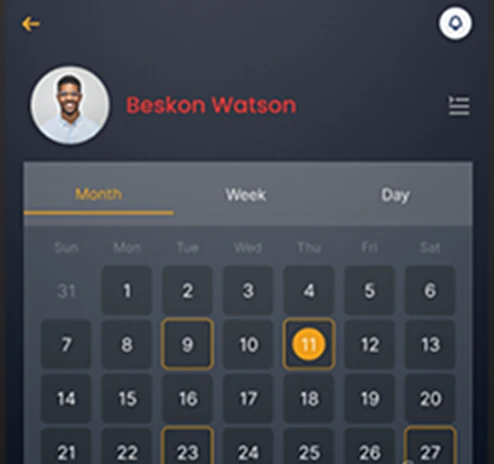
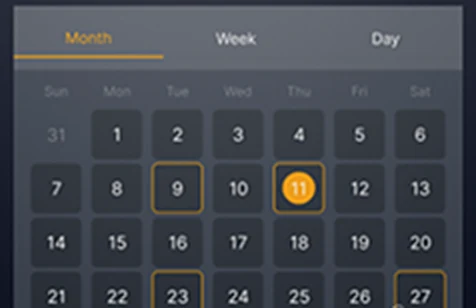
A complete overview of your activity, updates, and key actions — with month, week, and day views so nothing slips through.
A clean interface designed for focus and productivity
Every screen is crafted with simplicity in mind. From the first login to managing tasks, the interface keeps everything organized so you can focus on what matters most.
Get started in seconds
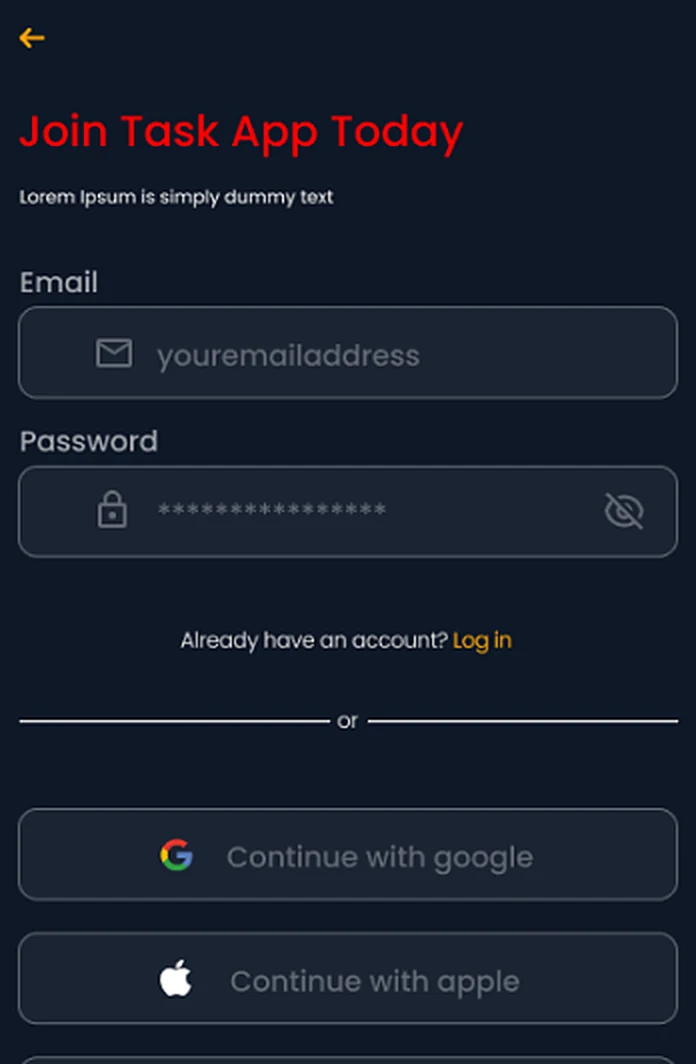
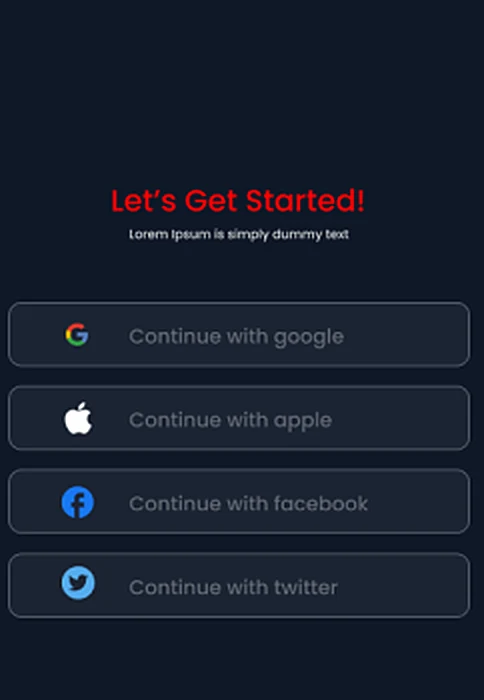
A smooth onboarding experience helps you set up your account quickly. Clear steps guide new users through the platform, making it easy to understand the core features from the very beginning.
- Continue with Google or Apple
- Create an account with just basic details
Everything in one place
The dashboard provides a complete overview of your activity, updates, and key actions. With a clear layout and quick-access tools, you can manage your workflow without searching through multiple screens.
- Month, week and day views
- Deadlines highlighted at a glance
Powerful tools, easy to reach
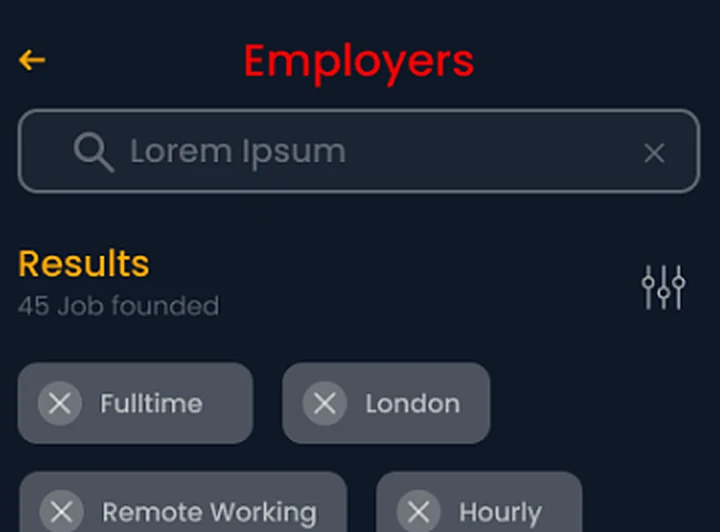
Navigate through all available features with an intuitive structure. Each function is organized to help you perform actions quickly while maintaining a clutter-free experience.
- Search and filter work fast
- Filters for full-time, remote and hourly
Make it work your way
Adjust preferences, layouts, and notifications to match your workflow. Personalization options ensure the app adapts to your needs and enhances productivity.
- Reminders for upcoming deadlines
- Choose which alerts you receive
Control and assistance when you need it
Easily manage account settings, privacy options, and system preferences. Built-in support ensures help is always available whenever you need guidance.
- Manage your account and sign-in
- Help available whenever you need it
Simple steps to get your tasks done faster
From sign-up to staying in sync with your team, the whole journey takes minutes — not meetings.
-
Create Your Account
Create your account in minutes with just basic details — or continue with Google or Apple.
-
Set Up Your Tasks
Enter task details, set deadlines, assign collaborators, and choose categories in seconds.
-
Manage Your Gigs
Keep every gig organized by project, with its own task list and team — plus instant notifications, file sharing, and smooth collaboration in one app.
-
Track Progress
Monitor your gigs live with reminders, status updates, and progress bars.
-
Stay Connected
Chat directly with your team or gig partners for quick updates and better coordination.
Less juggling. More getting things done.
Experience hassle-free gig and task management with real-time tracking, reminders, and collaboration. Stay organized, achieve your goals, and never miss a deadline.
-
01
Simple experience
Every screen is built for clarity — create a task as easily as sending a message.
-
02
Flexible workflows
Personal errands, client gigs, or team projects — adjust categories, layouts, and alerts to fit how you work.
-
03
Real-time visibility
Live status updates, ETAs, and progress bars mean you always know where every gig stands.
-
04
Better organization
Unlimited projects, each with its own dashboard, task list, and team — no more spreadsheets and sticky notes.
-
05
Easy collaboration
Assign tasks, share files, and chat with teammates or gig partners — everyone stays accountable.
-
06
Mobile accessibility
Native apps for iOS and Android, so your work goes wherever you do — at your desk or on the go.
Hear from people who trust our gig app
Real feedback from users who organize, track, and complete their tasks every day with ease.
Your questions answered
Quick answers to common questions about using the app — helping you stay focused, organized, and stress-free.
Still need help?
Our support team is happy to help with your account, tasks, or anything else.
Visit SupportReady to take control of your day?
Bring your tasks, gigs, and productivity together in one simple experience. Get Started Today — free on iOS and Android.